Layered Spine Desktop Doorbell Set
Layered Spine Desktop Doorbell Set
Couldn't load pickup availability

Product Overview
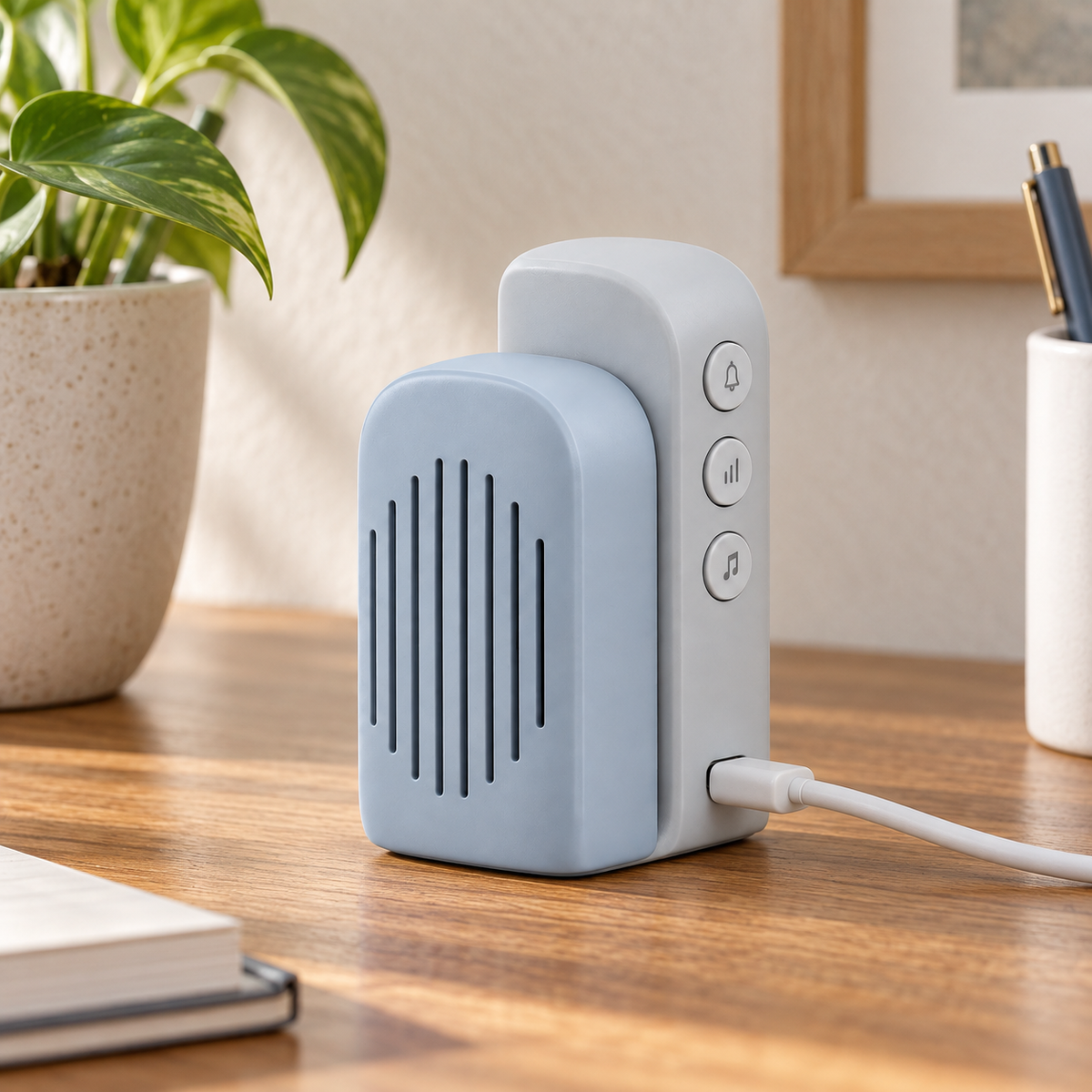
Two unequal rounded spine-like layers form the desktop receiver, with vertical sound openings in front and controls on the taller rear layer. A compact capsule button has an offset round press surface.
This unbranded concept is intended for everyday local visitor button notifications. It is not a camera doorbell or a remote security system.
Key Features
- Layered spine form: Different heights distinguish sound and control areas.
- USB-powered placement: Position the receiver near a suitable verified power source.
- Rear-layer controls: The front remains uncluttered.
- Local button response: Internet service is not assumed.
Set Contents
One outdoor push button and one USB-powered desktop receiver. Batteries, adhesive pads, screws, USB cables, and power adapters are not assumed to be included unless confirmed in the final package specification.
Everyday Placement
Home studies and living-room side tables. Choose positions using actual site tests rather than an assumed wireless distance.
Proposed Specifications
- Product: Layered Spine Desktop Doorbell Set
- Housing: Proposed ABS/PC with design-specific buttons, diffusers, or textile components.
- Trigger: Manual button press; long-press behavior requires confirmation.
- Power direction: USB-powered desktop receiver; input rating, interface, cable, and adapter requirements to be confirmed.
- Wireless: Local wireless; frequency, protocol, pairing capacity, range, and wall penetration remain unverified.
- Notification: Features described above are development goals; chime count, volume, latency, light behavior, and setting memory require testing.
- Dimensions and weight: To be measured on approved samples.
Installation and Use
- Confirm the final power and battery requirements and pair components according to the supplied instructions.
- Use a power source meeting the final label and test the chosen desktop position against the actual entrance.
- Check mounting-surface suitability, moving-part clearance, and receiver power access before attaching anything.
- Press each button repeatedly and confirm every intended receiver responds.
- Retest after final installation, battery changes, or receiver relocation.
Care and Maintenance
Clean with a dry soft cloth. Follow the final instructions for disconnecting power before maintenance. Do not allow liquid into openings or dismantle a mains-powered receiver. Adults should manage batteries, small magnets, and mounting parts. Stop use if components are damaged, loose, or unusually hot.
Frequently Asked Questions
Does it require Wi-Fi or an app?
The concept uses local wireless. Wi-Fi, accounts, remote notifications, video, recording, and cloud storage are not included.
Will it work across several walls or floors?
No universal range is promised. Building materials, interference, and placement must be tested at the intended location.
Will it work during a power loss?
Do not assume operation without the required supply. Backup power and low-battery alerts are not included unless validated.
Can the outdoor button be exposed to rain?
Weather exposure and any ingress-protection rating require testing. A canopy does not establish waterproofing.
Important Development Information
This listing describes a proposed product concept, not tested production hardware. Specifications, electrical safety, radio requirements, pairing behavior, environmental suitability, and all performance claims must be verified before sale. No waterproof rating, guaranteed delivery of alerts, theft prevention, life-safety protection, worldwide uniqueness, or patent-clearance claim is made. Final images and component counts must match the approved set.